The charity IT gap
Charities are asked to be professional in everything they do. Funders expect governance. Regulators expect data protection. Beneficiaries expect their information to be safe. Trustees are accountable for all of it.
Then look at how IT is actually run in many small and medium charities. Assets are tracked in one spreadsheet and helpdesk requests in another. Passwords sit in a shared document. Monitoring is a free tool someone set up years ago that nobody has checked since. Security is whatever came with the antivirus licence. And it all rests on one part-time IT manager, a helpful volunteer or a trustee who "knows computers".
This is not negligence. It is what happens when every pound spent on IT is a pound not spent on the mission, and when professional tools are priced for organisations with enterprise budgets.
Why spreadsheets are a risk, not a saving
Running IT informally feels cheap. The costs are real — they just do not appear on an invoice.
- Data protection. Charities often hold health information, safeguarding records and details of vulnerable people. A breach is a GDPR issue, a regulator issue and a trust issue with the people you serve.
- Funding. Cyber Essentials is increasingly a condition of government grants and public sector contracts. Without evidence, funding is at risk.
- Resilience. When IT knowledge lives in one person's head, their holiday, illness or departure becomes an operational risk.
- Time. Every hour a stretched manager spends chasing spreadsheets is an hour not spent on anything else.
What right-sized looks like
Charities do not need a scaled-down version of IT. They need the same core capabilities as any organisation, delivered in a way that does not demand an in-house team to run them.
For most small and medium charities, that means:
- GLPI for a staff helpdesk and self-service portal, asset tracking for every laptop and device, and software licence management — as a managed cloud instance with no servers to look after.
- Wazuh for security monitoring, vulnerability detection and the compliance evidence Cyber Essentials asks for.
- Zabbix, where needed, to monitor servers, connectivity and the web services volunteers and beneficiaries rely on.
- Fully managed support, so updates, patching and rule tuning are handled by Echo-9's UK-based team rather than by whoever happens to be available.
Because every component is open source, there are no per-user licence fees, and no lock-in.
A charity that made the move
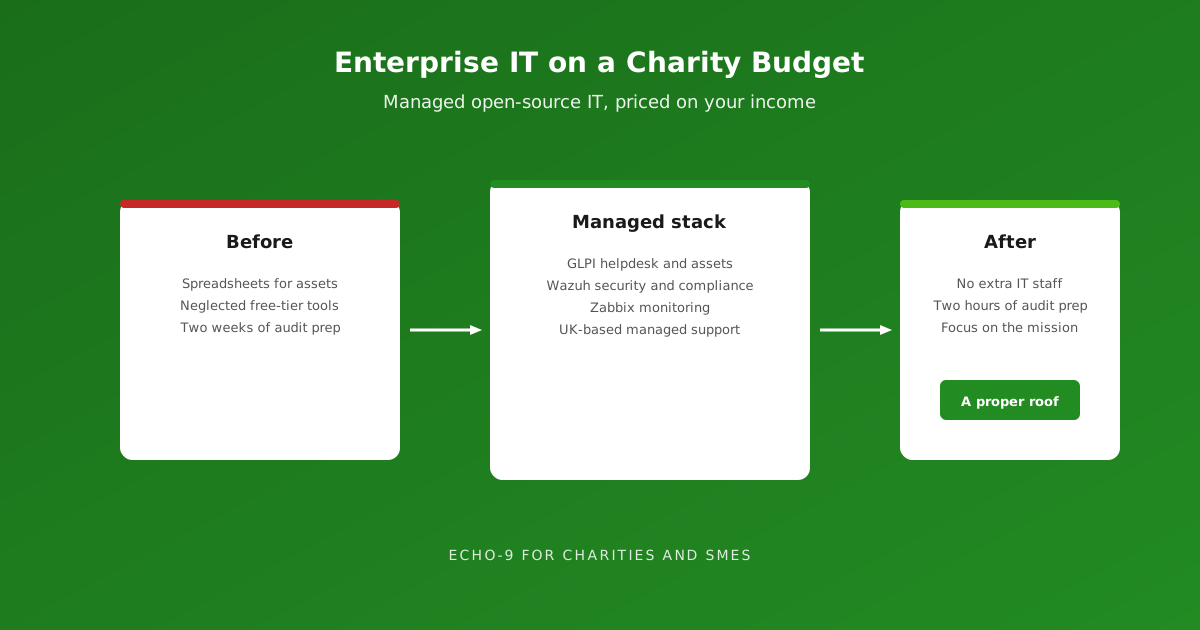
A national health charity with 50 staff and a network of volunteer groups across the country ran IT on spreadsheets, with a neglected free-tier monitoring tool and a part-time IT manager stretched thin. Cyber Essentials was becoming a requirement for their government grants, and they had no way to evidence compliance.
Echo-9 deployed a lightweight version of the integrated stack, fully managed:
- GLPI replaced the spreadsheets for helpdesk, assets and licences, with a self-service portal for staff.
- Zabbix replaced the neglected monitoring, covering their servers, Office 365 connectivity and volunteer-facing web applications.
- Wazuh added security monitoring across every endpoint, with security alerts creating GLPI tickets automatically and evidence packages ready for certification.
The results: no additional IT staff, no server maintenance, and Cyber Essentials audit preparation reduced from more than two weeks to two hours.
"Before Echo-9, IT felt like we were trying to stay dry with a handful of broken umbrellas. Now we have a proper roof — someone else maintains it, and we just get on with our work."
IT Manager, national health charity
Pricing that reflects your income
Echo-9 prices charity engagements individually, based on the organisation's income. A small local charity and a large national one have very different budgets and needs, and a single price list would serve neither well.
In practice, that means a conversation about your size, your income and what you need — then a proposal that fits. The aim is simple: professional, managed IT that a charity can sign up to from day one, without cutting corners on security.
Questions trustees should ask
Trustees do not need to be technical to hold IT to account. Five questions go a long way:
- Do we know what devices and systems we have, and who is responsible for each?
- Could we show a funder or auditor our Cyber Essentials evidence today?
- Is multi-factor authentication switched on for every cloud service we use? Under Cyber Essentials v3.3, it is now an automatic fail if not. See our Cyber Essentials article.
- What happens to IT if our key IT person is unavailable for a month?
- Would we know if we had been breached?
If the honest answer to any of these is "not sure", that is where to start.
Getting started without a big project
Moving from spreadsheets to a managed platform does not require a large transformation programme. Most charities start with a helpdesk and asset inventory in GLPI, add Wazuh ahead of their next Cyber Essentials assessment, and extend from there. Existing spreadsheets can be imported, so nothing already recorded is lost.
The same approach suits small businesses with no in-house IT team. It gives them enterprise-grade tools, managed for them, at a price that fits.
The bottom line
Charities should not have to choose between their mission and their security.
Open source removes the licence costs that put professional IT out of reach. Managed support removes the need for an in-house team. Income-based pricing means the service fits the organisation, not the other way round. The result is the proper roof our customer described — so charities can get on with the work that matters.
Talk to us
Tell us about your charity and what you need. We will put together a proposal based on your income and requirements.